On Google Play, and free
Where did the day go? Now you'll know.
Sandglass Tap a task, and it keeps the time.
Work, study, exercise, telly: one clean record of your day. Set your hours and it'll tell you when you're done.
- No ads
- No accounts
- No subscriptions

A sandglass you can try
23:00 A whole day, poured
- Work 7h 30m
- Study 1h 30m
- Exercise 45m
- TV 1h 30m
- Not logged 4h 45m
Tap a task and its colour pours through the neck. A day from seven till eleven, in about a minute and a half, drawn by your browser. The app keeps the real one, by the minute.
At a glance
Clock on. See it. Fill in the gaps.
Three things Sandglass does for you, every day.
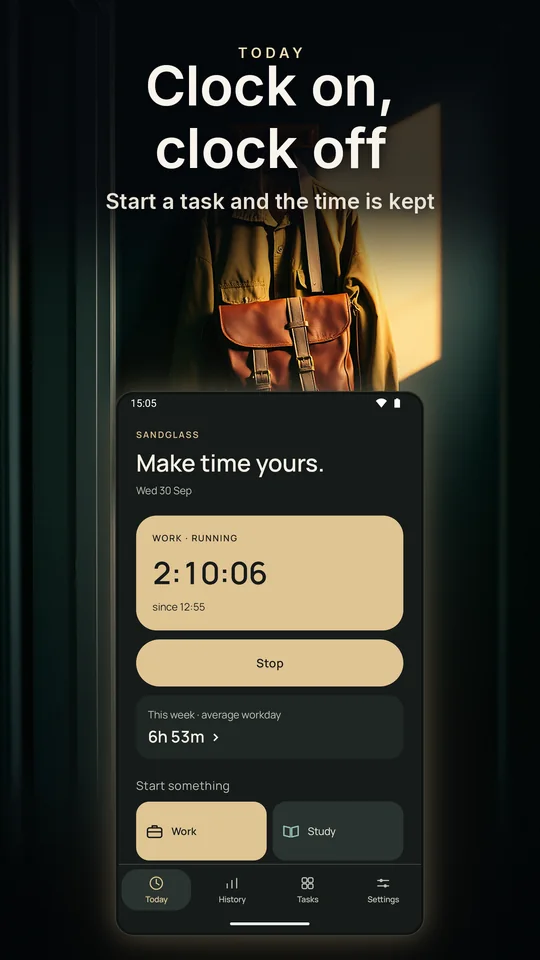
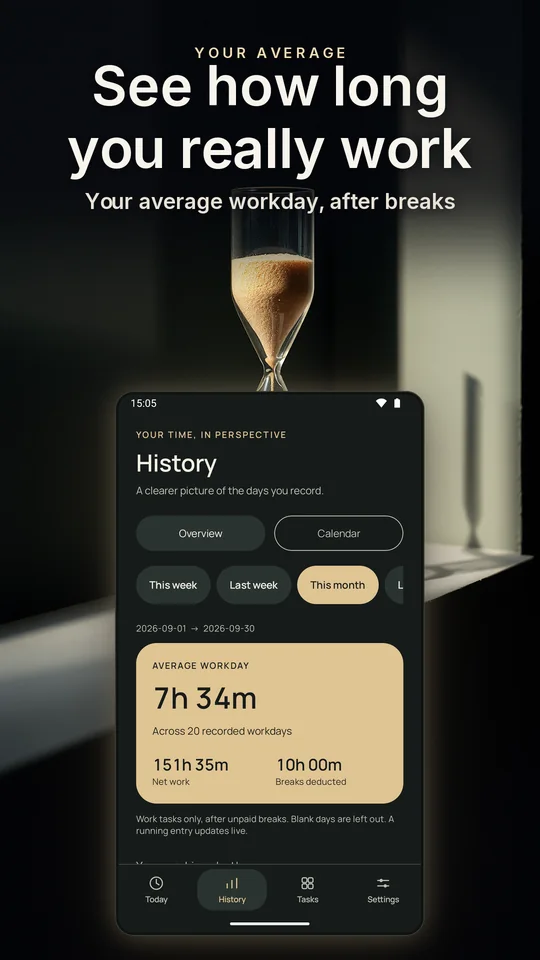
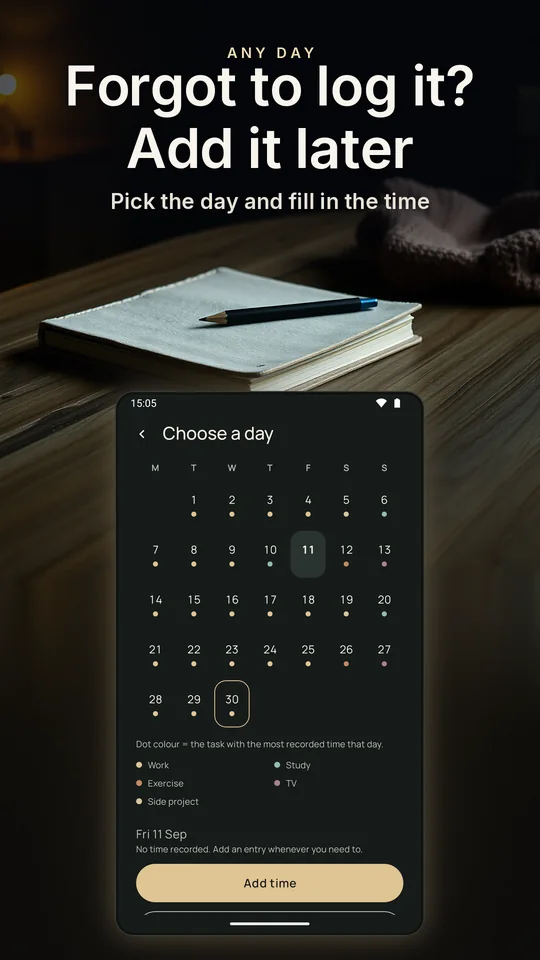
Backgrounds are illustrations; the phone screens are the real app.
How it works
Tap. Keep. Look back.
Tap a task
Hold a tile and it starts straight away. Tap it and Sandglass asks what you meant: start now, start from a time you pick, or add a block that has already finished.
Stop when you stop
One thing runs at a time, and the lit card is it. Stop it now, stop it at an earlier time, or move when it started. Tap another task and it hands over.
Look back, and fix it later
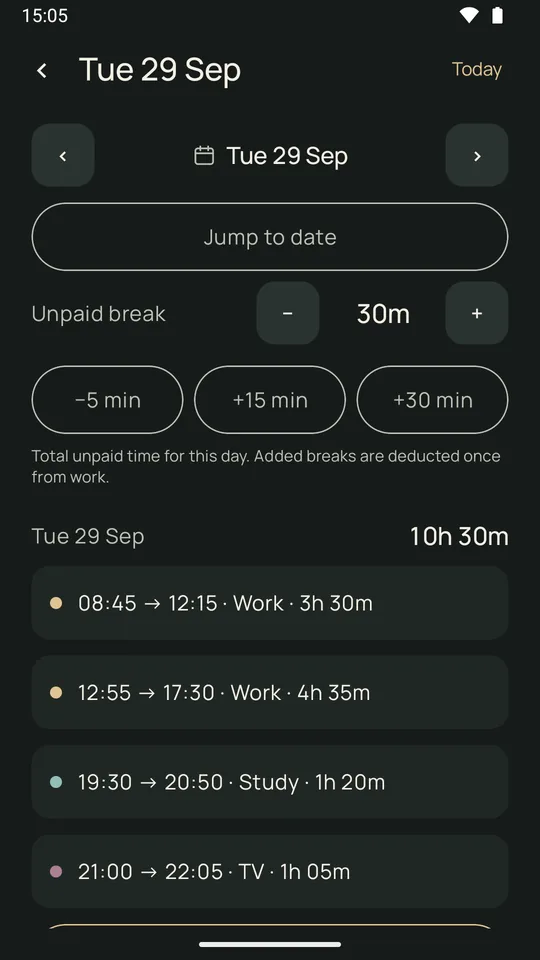
Every day is a card, entry by entry, by the minute. Forgot to log it? Pick the day on the calendar and fill in the time. The record is yours to correct.
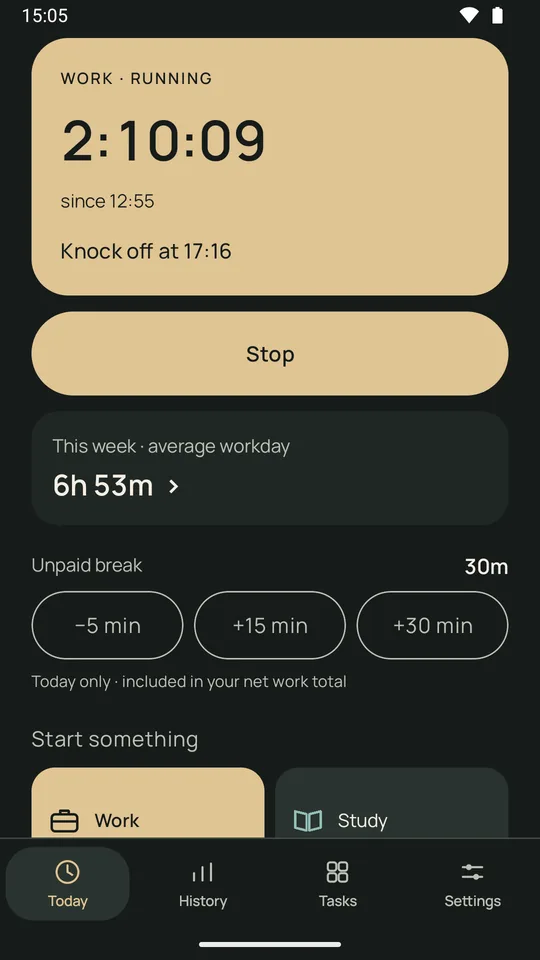
Work · running
2:10:06since 12:55
Knock off at 17:16
This week · average workday
6h 53m
Unpaid break30m
Tap a task, Stop, or a break. A sketch of Sandglass's Today screen that your browser draws, in the app's own colours.
Hours, if you have set hours
Can I knock off yet?
If your week has a number on it, switch on Hours: tell Sandglass your usual days and it tells you when you can knock off today, as a time. It also keeps a running balance of time in credit or time owed (flex, TOIL, whatever your workplace calls it), so that number stops being a guess.
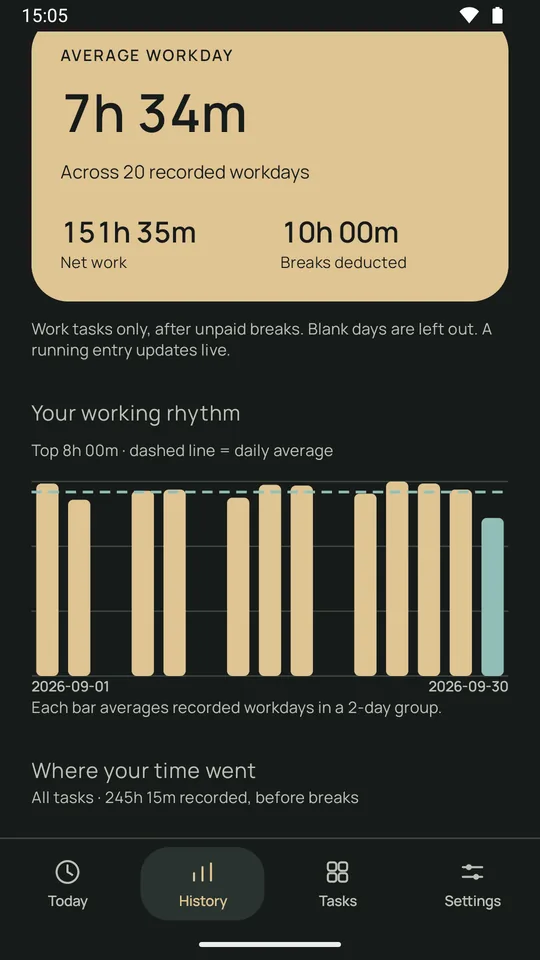
Average workday
7h 34mAcross 20 recorded workdays
151h 35mNet work
10h 00mBreaks deducted
Work tasks only, after unpaid breaks. Blank days are left out.
Your working rhythm
Each bar is a recorded workday, and the dashed line is your average.
Today
Knock off at 17:16Worked out from your hours, what you've done and your break. It moves as the day does, and the widget shows it too.
A time, not a nag. Nothing rings when you get there.
Balance
+2h 15m in creditCarried from day to day and never reset. Public holidays, leave and days in lieu are painted onto a calendar, so a day off stops owing anything, and a day you didn't record isn't counted against you.
Unpaid breaks
+15 · +30A longer lunch is a tap, today or on any past day. The break comes off the day once, and never takes it below zero.
The figures here are an illustration. Yours will be yours.
Leave Hours off and Sandglass is simply the timer. There is no target, no knock-off time and no balance, just the record of the day.
Looking back
Where did the time go?
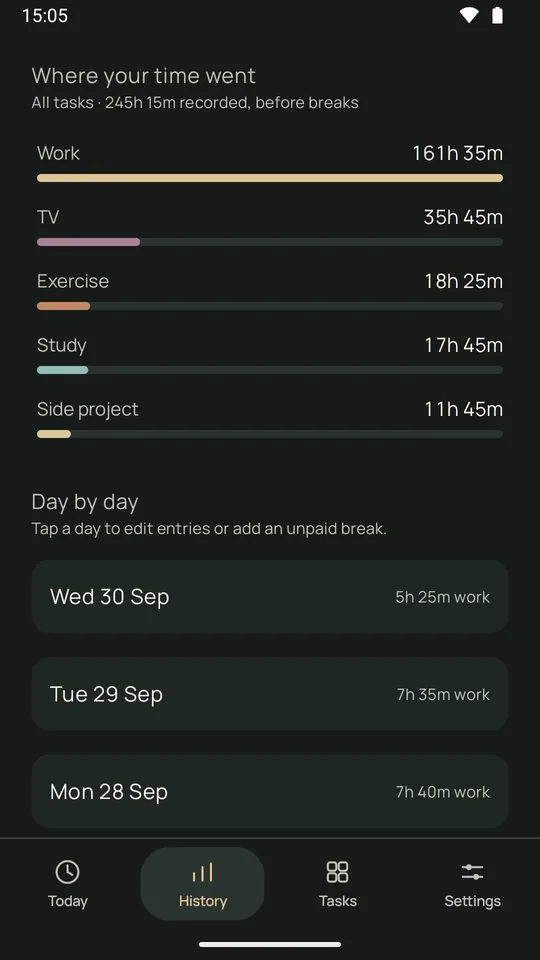
History, your way: this week, last week, this month, the last three months, all time, or any dates you pick. Every range has its total and the share each task took, and a calendar shows which task led each day.
This month
245h 15mAll tasks, before breaks
Work161h 35m
TV35h 45m
Exercise18h 25m
Study17h 45m
Side project11h 45m
The dot is the task with the most time that day. Tap a day in the app to see it, or to add time you forgot.
Made-up days, drawn the way the app draws them.
Make it yours
Your colours. Try them on this page.
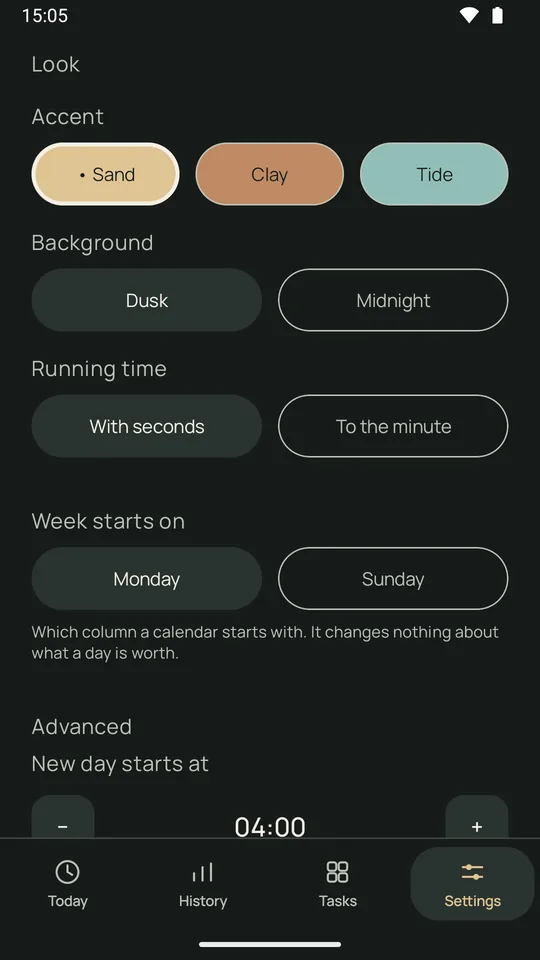
Sandglass comes in three accents and two grounds, and the running time can tick with seconds or sit still to the minute. Pick below and this whole page follows, the sandglass at the top included. Your week can start on a Monday or a Sunday, and your day can roll over at an hour you choose, for the night owls.
The real app
Five screens from Sandglass
Captured from the app on an Android phone.
Thirty seconds
Sandglass in half a minute
The presenter is AI-generated; everything on the phone is the real app, filmed before its new look. Watch on YouTube
Quiet, on purpose
What Sandglass will never do
Not settings you have to find and switch off. Not in the app at all.
- Send you a notification
- Ring, buzz or wake your phone
- Colour a long day red
- Keep a score, a run of days or a percentage
- Ask for an account or a sign-in
- Carry an ad
- Charge you anything
- Upload your record anywhere
- Beg you for a rating
- Interrupt you with an upsell
Sandglass never rings and never notifies. When you reach your hours it repaints its own widget, which can happen a few minutes later. It makes no sound and there is nothing to dismiss.
Free, all of it
Sandglass is free and there is no paid tier: every task, every chart, the whole of your history and the widget, for everyone. Nothing is held back and nothing is counted against a limit.
A long day is a fact, not a fault, and nothing on the screen is there to make you feel judged.
Get Sandglass
Sandglass is on Google Play. No invites, no waiting list: tap the badge to install. Sandglass is free. The iPhone build comes later, and it has no date.
Sandglass keeps your record on your device, with no account and nothing to sign in to. We receive anonymous usage stats. Read the privacy page
There's nothing to sign up for here: no mailing list, no email box, no “notify me”. Zone7 doesn't send newsletters, and that starts with this page.